LooksDone

Let clients comment directly on your website.

They click the part that's wrong and type what should change. You get a task with a screenshot, their browser and window size, and a thread to reply in.

Start free
A demo of LooksDone on Halden, a coffee roaster's website. Their client draws a box around a product card that sits lower than the others and comments on it. The studio replies, fixes the card and resolves the comment. The client then pins the headline to ask for new copy, and the studio answers.

Set up with one script tag.

Nobody installs a browser extension, not you and not your client. Pick where your site is built to see where the tag goes.

  1. Add your site

    Create a project and add the domains your site runs on. Reviews open only on those domains.

  2. Paste the tag

    Add it before </body> on every page, or in your platform's custom code settings. The app has the same guides shown here.

  3. Open a review

    Press Review site and your site opens with the LooksDone toolbar. Invite your client and they comment the same way.

Installationhalden.example

Connected

Where your site is built
  1. Paste the snippet just before </body> on every page.
  2. If the pages share a layout or template, add it there once.
HTML
<script
  src="https://api.looksdone.app/looksdone.js"
  data-looksdone-project="pk_8fKq2VnR4mXw1tYb"
  defer
></script>
  1. Open app/layout.tsx (with the Pages Router, pages/_app.tsx).
  2. Import Script and add it inside <body>, so it loads on every route.
app/layout.tsx
import Script from "next/script";

// In app/layout.tsx, inside <body>:
<Script
  src="https://api.looksdone.app/looksdone.js"
  data-looksdone-project="pk_8fKq2VnR4mXw1tYb"
  strategy="afterInteractive"
/>
  1. Deploy, then open a review from LooksDone.
  1. Install a header and footer code plugin, such as WPCode, or edit your theme's footer.
  2. Paste the snippet into the site-wide footer section and save.
HTML
<script
  src="https://api.looksdone.app/looksdone.js"
  data-looksdone-project="pk_8fKq2VnR4mXw1tYb"
  defer
></script>
  1. If a caching plugin is active, clear its cache.
  1. Open Site settings › Custom code.
  2. Paste the snippet into Footer code and save.
HTML
<script
  src="https://api.looksdone.app/looksdone.js"
  data-looksdone-project="pk_8fKq2VnR4mXw1tYb"
  defer
></script>
  1. Publish the site: custom code only runs on the published site.
  1. Open Online Store › Themes, then Edit code on your theme.
  2. In layout/theme.liquid, paste the snippet just before </body> and save.
HTML
<script
  src="https://api.looksdone.app/looksdone.js"
  data-looksdone-project="pk_8fKq2VnR4mXw1tYb"
  defer
></script>
  1. Open Site settings › General › Custom code.
  2. Paste the snippet into End of <body> tag and save.
HTML
<script
  src="https://api.looksdone.app/looksdone.js"
  data-looksdone-project="pk_8fKq2VnR4mXw1tYb"
  defer
></script>
  1. Publish the site.

Works on any site that can load a script tag.

Comments stay attached to the element.

LooksDone attaches each pin or shape to an element on the page, not to a position on the screen. It stays in place when the window resizes, the page reloads or the layout switches to mobile. If the element is removed, the comment says it can't find it.

Width of the site
The Halden website with five annotations. A pin on the headline, an ellipse around the Shop coffee button, an area over the hero image, a rectangle around the House Espresso card and an arrow pointing at a price. Choose a width and the site changes layout. Each annotation moves with its element.
  • Comment
  • Ellipse
  • Area
  • Rectangle
  • Arrow

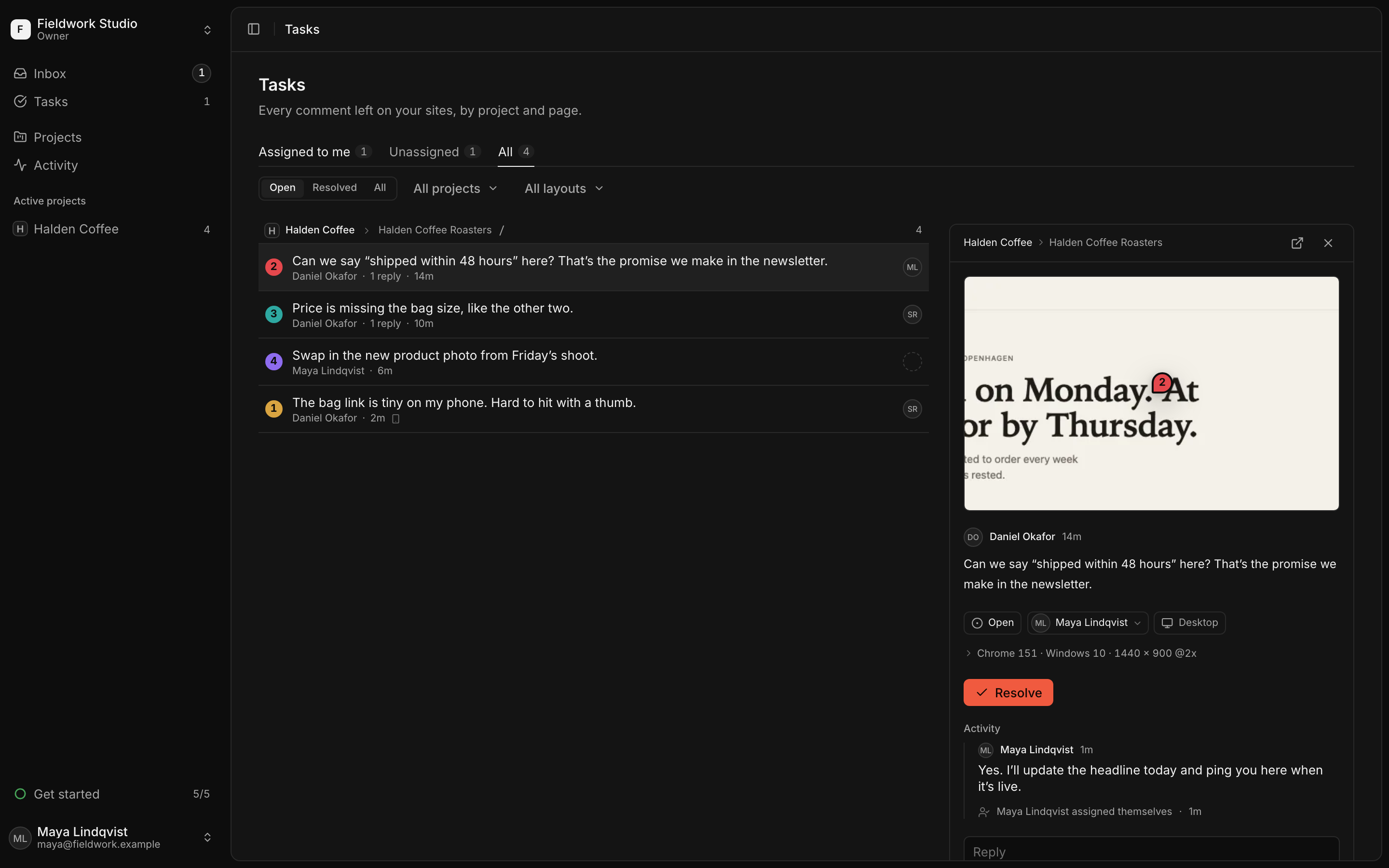
Every comment is a task.

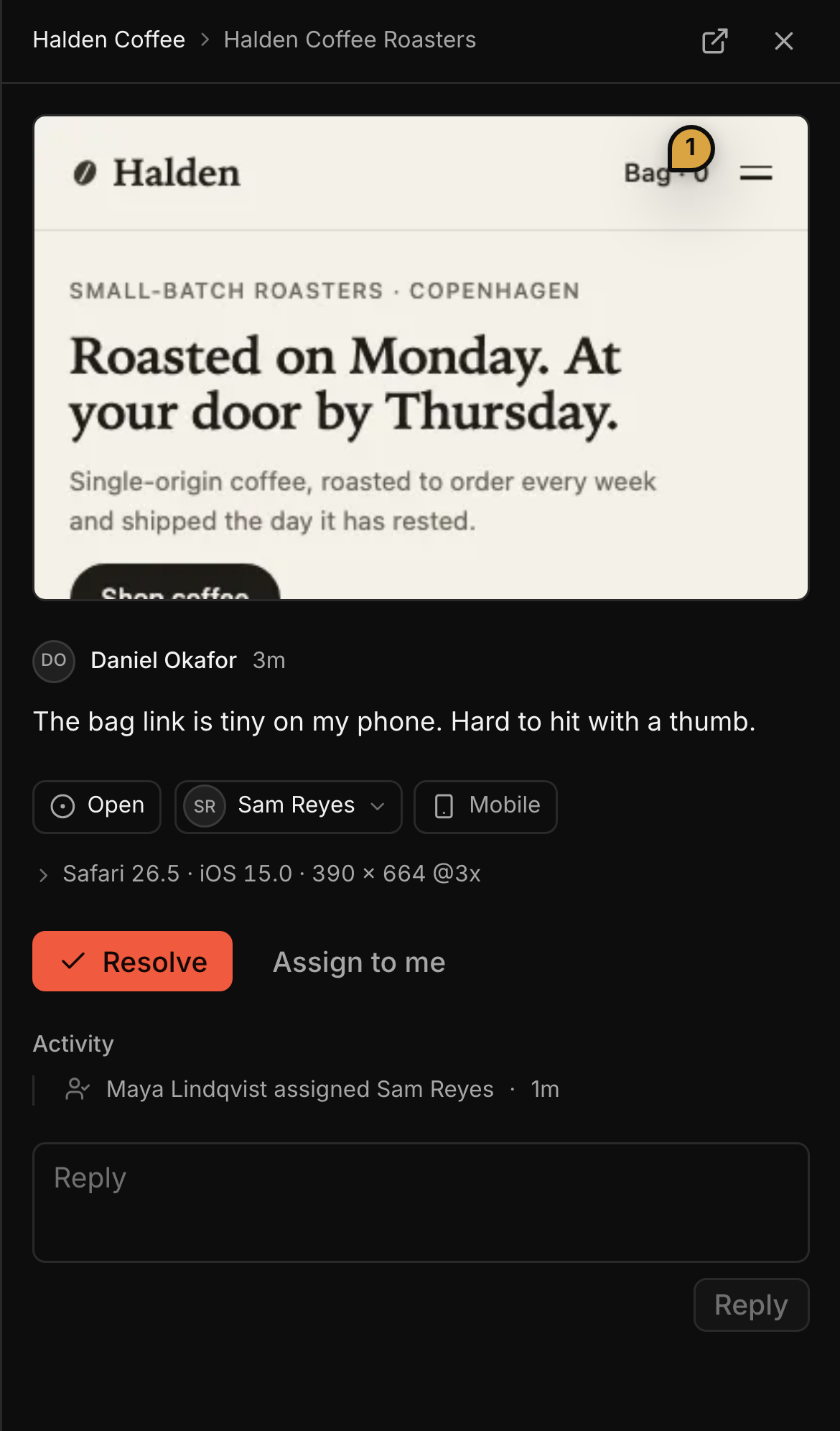
Each comment comes with a screenshot of the spot and the browser, OS and window size it was written in. Assign it to someone on your team and resolve it when the fix is live.

A task on a phone: the snapshot of the Halden site's bag link with pin 1, the client's comment, and Safari on iOS at 390 × 664.

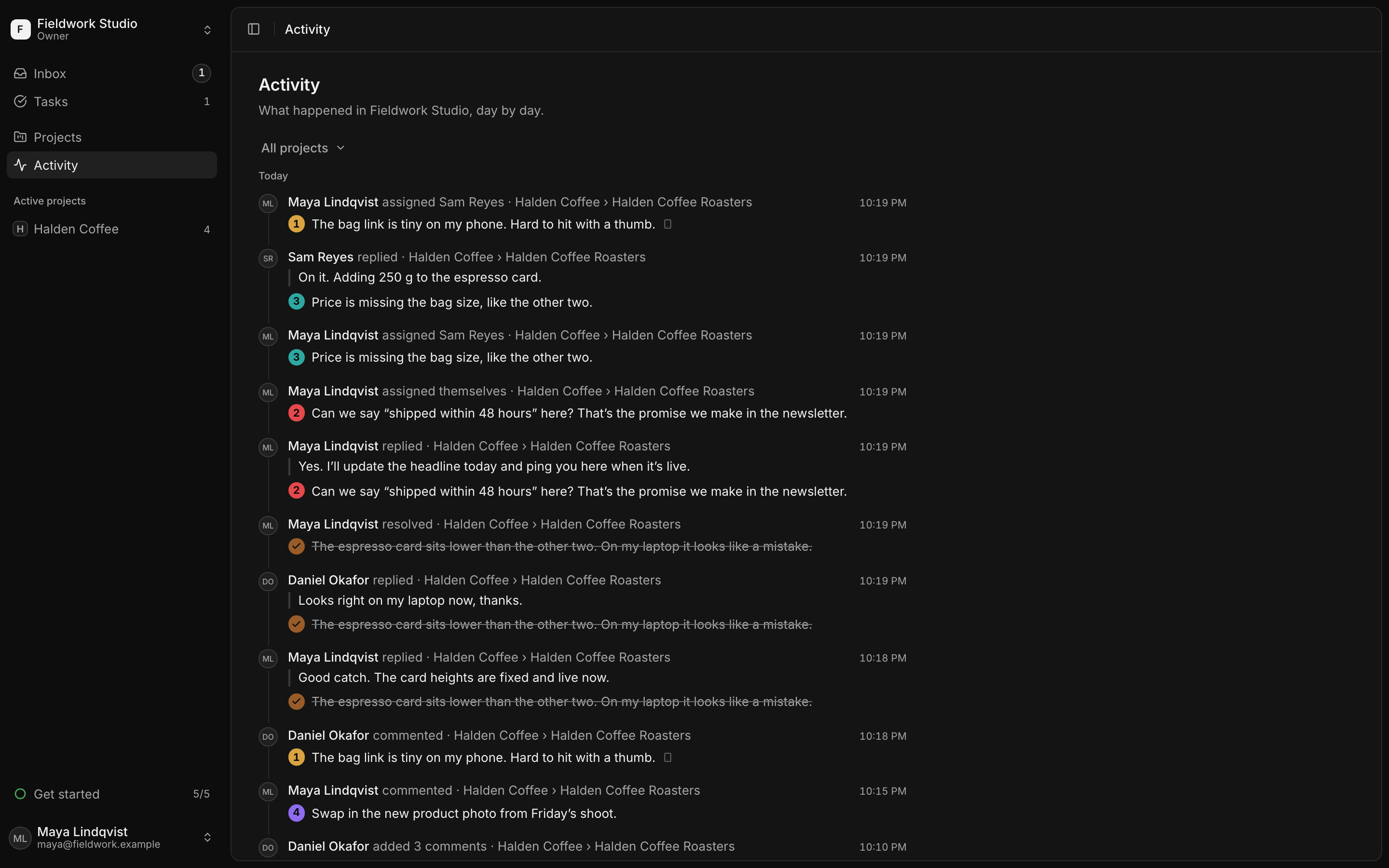
Your client and your team in one thread.

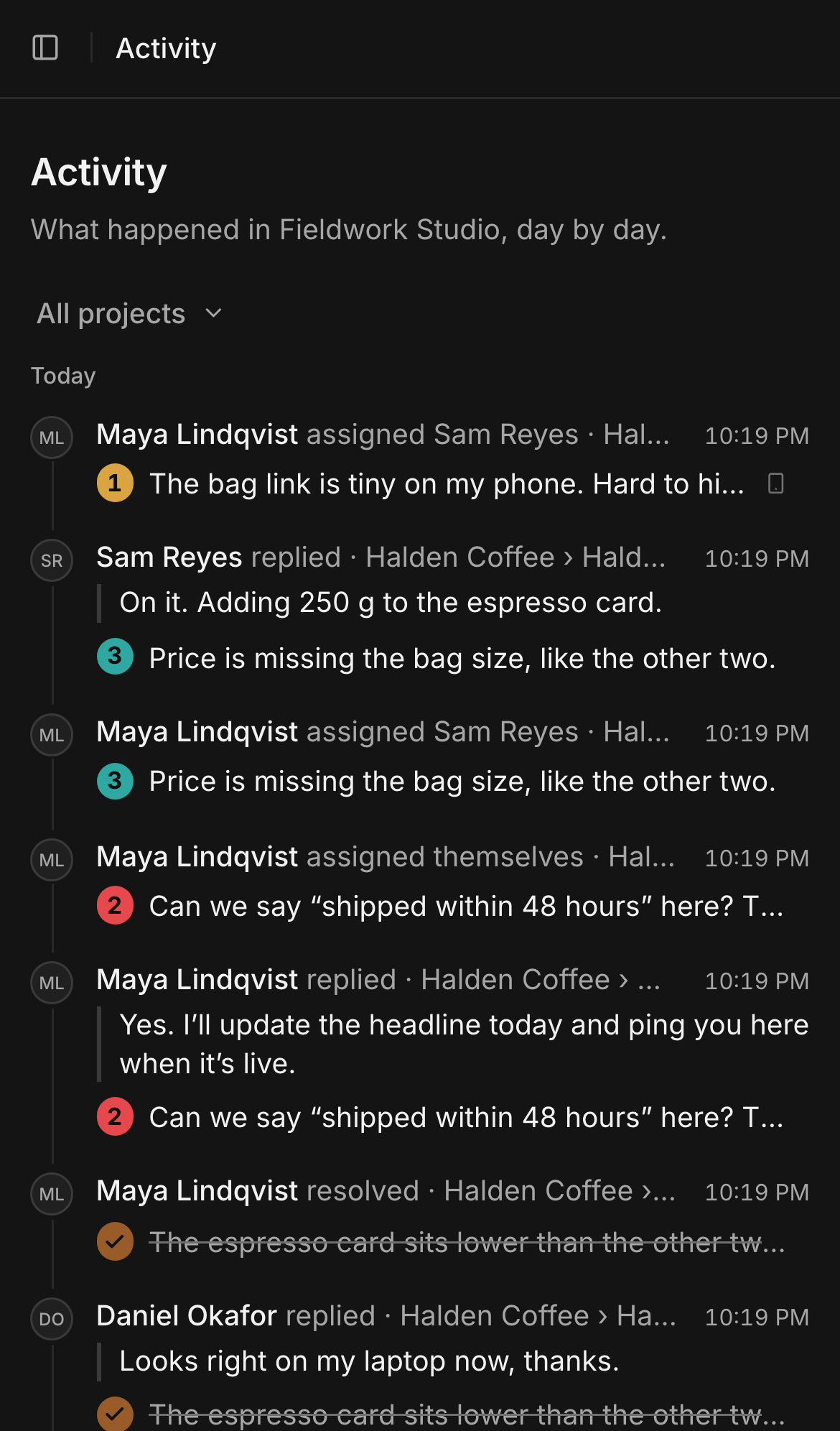
Replies and status changes show up for everyone without a reload. A client you invite to one project sees that project and nothing else. LooksDone doesn't send email, so the whole conversation stays next to the work.

Activity on a phone: replies, assignments and resolved comments on the Halden Coffee site.

Details

How the script, access and data work.

  • Invisible to your visitors

    The script is a 1.5 KB loader. Until someone opens a review from LooksDone, it adds no UI, makes no requests and stores no data.

  • Only on your domains

    Reviews open only on the domains you add to a project. The server checks every request against that list.

  • Browser details on every comment

    Each comment records the browser, OS and window size it was written in, so you can see the bug the client saw.

  • Works on a phone

    On a phone the toolbar moves to the bottom and comments open in a sheet, so clients can review on their own device.

  • Per-project access

    Give each person every project or only the ones you pick. A client never sees your other clients' work.

  • Deletion is immediate

    When you delete a project, a workspace or your account, LooksDone removes it and its screenshots right away.

Free during early access

Every feature is in the free plan. You don't need a card, and there's no trial that runs out.

Free

Early access

$0per month

For freelancers, studios and product teams reviewing sites with their clients.

Start free

What's included

  • Pins, boxes, ellipses, arrows and areas in 8 colors
  • Comments, replies and assignees, updated live
  • Browser, OS and window size on every comment
  • Inbox and activity for the whole workspace
  • Per-project access for clients
  • Install guides for HTML, Next.js, WordPress, Webflow, Shopify, Framer

Limits

Workspaces you ownJoin as many others as you're invited to
3
Active projects per workspaceArchived projects don't count
10
Seats per workspaceMembers, clients and pending invitations
10
Screenshot storage per workspace
1 GB

Questions

What people ask before they install the script.

Do my clients need an account?

Yes. Everyone who comments signs in with Google, and you invite them to your workspace. You can limit a client to their own project. Each person you invite takes a seat.

Will it slow my site down?

No. The script is a 1.5 KB loader that runs after the page loads. For normal visitors it adds no UI, makes no requests and sets no cookies. The review app loads only when someone opens a review from LooksDone.

What does it record?

When someone comments, LooksDone saves the comment, a screenshot of the area around it, the element it's attached to and the browser, OS and window size. It never saves what anyone types into a form, and it records nothing about your visitors.

Which sites does it work on?

Any site that can load a script tag. The app has step-by-step guides for HTML, Next.js, WordPress, Webflow, Shopify, Framer, and a message you can copy and send to your developer.

Is it really free?

Yes. LooksDone is free during early access, within the limits above. You don't enter a card.

What happens when I delete something?

LooksDone deletes it right away, with its screenshots, whether it's a project, a workspace or your account. Comments you left in other people's workspaces stay there and show as written by a deleted user.

Run your next client review on the site itself.

Add your site, paste one script tag and invite your client. Their comments show up as tasks.

Start free